
Connect
The server uses OAuth by default — when you first connect, it will redirect you through the authentication flow automatically. No manual setup needed.Claude
Pathors is available as a Claude Custom Connector — you can add it directly from Claude Desktop or claude.ai without any config file.1
Open Customize
In the Claude sidebar, click Customize.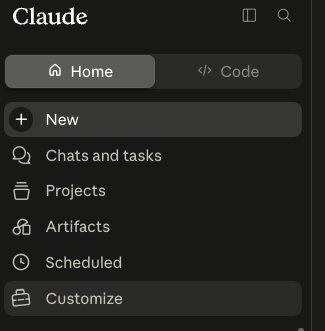
2
Add a custom connector
Go to Connectors, then click Add > Add custom connector.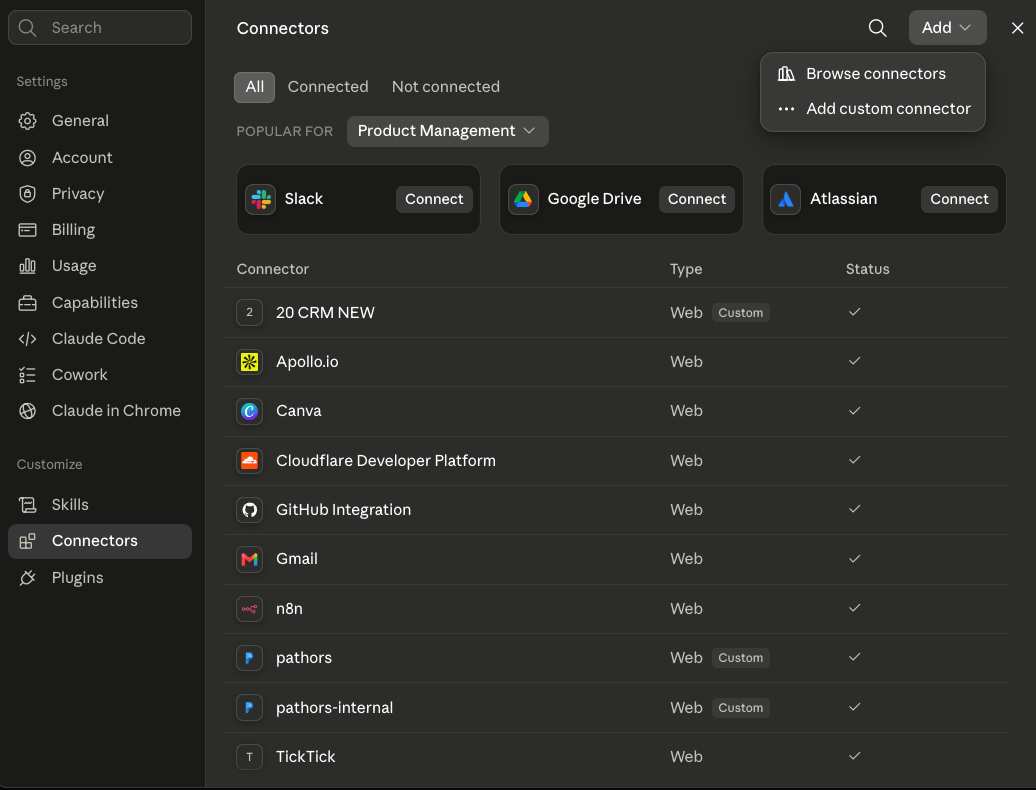
3
Enter the server URL
Name the connector 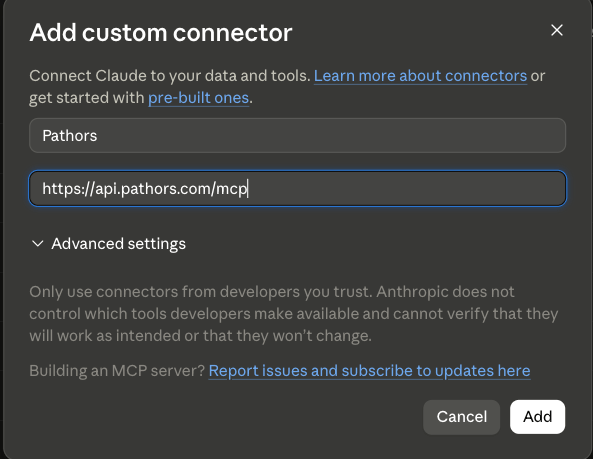
Pathors and enter the server URL https://api.pathors.com/mcp, then click Add.4
Complete the OAuth flow
Claude will redirect you to sign in to Pathors. Once authorized, the Pathors tools show up in your connector list.
Client Configuration
For other clients, or if you prefer file-based config, add the following to your client’s MCP configuration:OAuth authentication will be triggered automatically on first connection for all clients above.
Available Tools
Once connected, your MCP client will auto-discover tools across these categories:
All tool parameters and descriptions are provided by the MCP protocol itself — your AI assistant will know how to use them.